button 88×31
Classic 88×31 web button for embedding this site on yours.
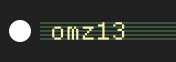
Embed it
PNG, scheme-aware, HiDPI-aware. Absolute URLs are already baked in. The usual case is a clickable button that links back to this site, so that’s snippet #1; snippet #2 is the image on its own if you want to wire the click yourself.
Linked (the common case):
<a href="https://www.omz13.com/">
  <picture>
    <source media="(prefers-color-scheme: dark)" srcset="https://www.omz13.com/button-dark.png 1x, https://www.omz13.com/button-dark@2.png 2x">
    <img src="https://www.omz13.com/button.png"
         srcset="https://www.omz13.com/button.png 1x, https://www.omz13.com/button@2.png 2x"
         width="88" height="31" alt="omz13.com site button" loading="lazy" decoding="async" fetchpriority="low">
  </picture>
</a>
Image only:
<picture>
  <source media="(prefers-color-scheme: dark)" srcset="https://www.omz13.com/button-dark.png 1x, https://www.omz13.com/button-dark@2.png 2x">
  <img src="https://www.omz13.com/button.png"
       srcset="https://www.omz13.com/button.png 1x, https://www.omz13.com/button@2.png 2x"
       width="88" height="31" alt="omz13.com site button" loading="lazy" decoding="async" fetchpriority="low">
</picture>
All variants: quality comparison
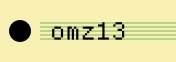
Each preview rendered at the canonical 88×31; on a HiDPI (Retina, 2×, 3×) display the quality difference is obvious: 1× PNG looks soft because the browser upscales each source pixel across multiple device pixels, while 2× PNG renders 1:1.
| Preview | File | Format | Scheme |
|---|---|---|---|
 |
/button.png |
PNG 1× (88×31) | light |
 |
/button@2.png |
PNG 2× (176×62) | light |
 |
/button-dark.png |
PNG 1× (88×31) | dark |
|
/button-dark@2.png |
PNG 2× (176×62) | dark |